Download and view my payslips - Sage Employee Online Services
Summary
Description
When your employer publishes your payslips, you can view and download them within Sage Employee Online Services.
 NOTE: These steps are for Sage Employee Online Services. For Sage HR Online Services, follow the steps in View my payslips and P60s in Sage HR Online Services.
Resolution
- Log in to your Sage Employee Online Services portal as normal.
- After you log in, you can either select:
- The My payslips tab. This takes you to your list of payslips
- View more payslips on the Payslips tile on your Dashboard. This takes you to your list of payslips
- View your latest payslip on the Payslips tile on your Dashboard. This opens up your latest payslip
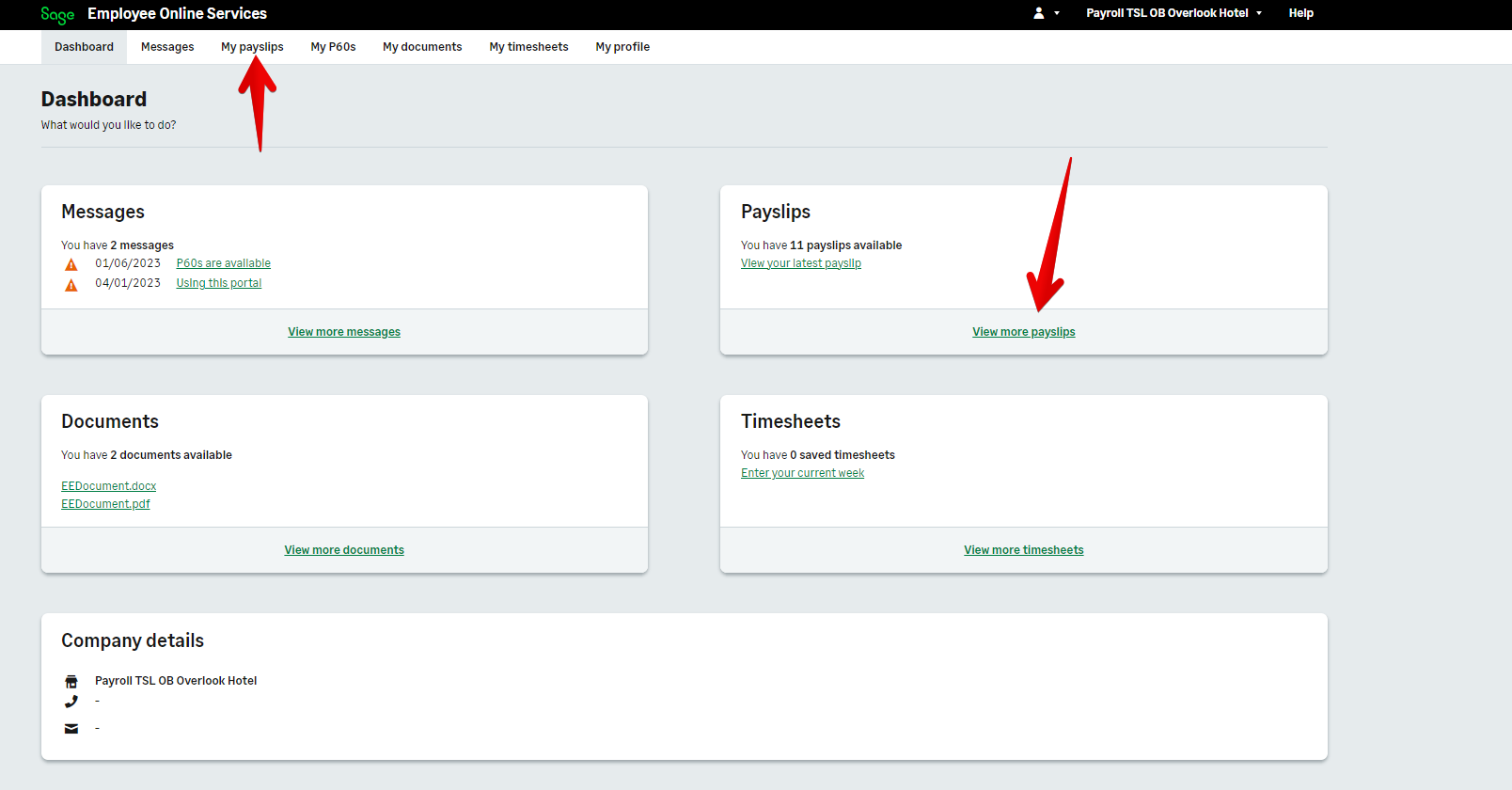 NOTE: On a mobile browser, to get to the My payslips tab, tap on the three lines on the top left first.
- When your list of payslips appear, select the relevant payslip to open it. This will show your payslip details.
Download a payslip
When you open a payslip, select Save as PDF to download it.
You can also download a payslip when you view your list of payslips. Select the payslip then Save as PDF.
 TIP: On a mobile browser, you must tap Select rows to be able to select a payslip.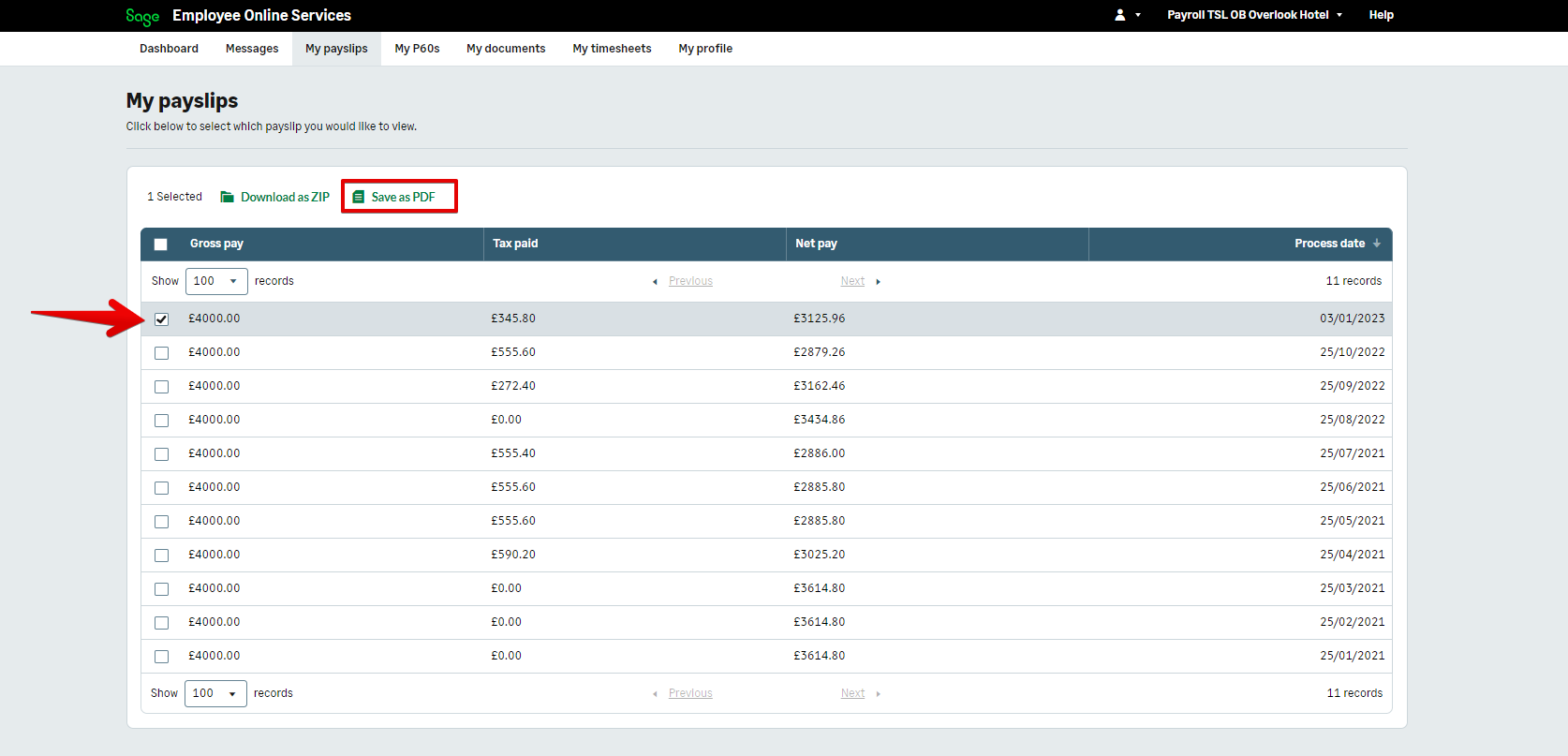
TIP: When you select multiple payslips, then click Save as PDF, this downloads them as one PDF. If you want to download multiple payslips as separate PDFs, click Download as zip.
Can't see your payslip when logged in?
If you have an issue with your payslip, such as a payslip is missing, or details are wrong, you must contact your employer. They can resolve it for you, and if required only they have access to contact Sage technical support.
Can't log in to view your payslip?
Related Solutions
- I can't log in to Sage Employee Online Services
- My payslips/P60s are missing
- View and download my P60s
- Using Online Documents in Sage Employee Online Services
- Using Online Timesheets - Sage Employee Online Services
Solution Properties
- Solution ID
- 211105160549387
- Last Modified Date
- Thu Dec 19 08:41:30 UTC 2024
- Views
- 0