

Summary
How to produce a customer statement in Sage 50 Accounts.
Description
Statements are a way to let your customers know their transaction history, and remind them of outstanding balances.
Use the Customers module to create and send statements to your customers.
Resolution
- Click Customers and select the customers you want to create statements for.
 TIP: Use our selecting multiple records article if you can't highlight multiple customers.
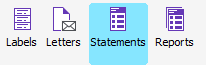
 - From the toolbar, select Statements.
- Click Layouts, then choose your statement layout.
- Select how you'd like to generate the statement:
- Preview - Displays the statement on the screen
- Print - Prints a copy of the statement
- Export - Save your reports and layouts as a file on your computer to view later
- Report to Excel - Send a copy of the report to Excel
- Data to Excel - Send data to compatible versions of Excel from many of the Sage Accounts windows, look for the send to Excel buttons
- Email - Send documents by email through Outlook or webmail
 Africa
 Asia
Asia Australia
 Canada
 France
 Ireland
 Kenya
Kenya Nigeria
 Portugal
 South Africa
 Spain
Spain United Arab Emirates
 United States
 Germany