Auto enrolment preparation
Description

Every employer has a duty to help their employees in the UK save for retirement. They must enrol certain workers into a pension scheme and make contributions towards it.

It’s never too early to prepare for automatic enrolment. With Payroll, you can do this now.

You must set up a pension scheme, even if you never intend to use it or you believe auto enrolment isn't valid for your business. For example:

NOTE:

An employee excluded from auto enrolment is different from an employee who simply doesn’t meet the criteria to be auto enrolled. For example, someone under 22 or earning less than £10,000. 

Cause
Resolution

Initial steps

So Payroll knows when automatic enrolment becomes relevant to your business, you need to enter your Duties start date. This is sometimes referred to as a staging date and The pension regulator (TPR) provide it.

  1. Select Summary from the menu bar.
  2. In the Auto Enrolment/Pensions panel.
  3. Enter your Duties start date, then select Set duties start date.

Your scenario

After entering a duties start date, the options you see and how to proceed depends on your situation.

Your duties start date is in the future, or you've reached it but haven't processed a run passed this date

After entering your duties start date, you'll have two options on the Summary window.

Amend

Only use this option if you've entered the incorrect date.

NOTE:

This option won't be available if you've already processed a pay run that is in a period after your duties start date.

Prepare for Auto Enrolment

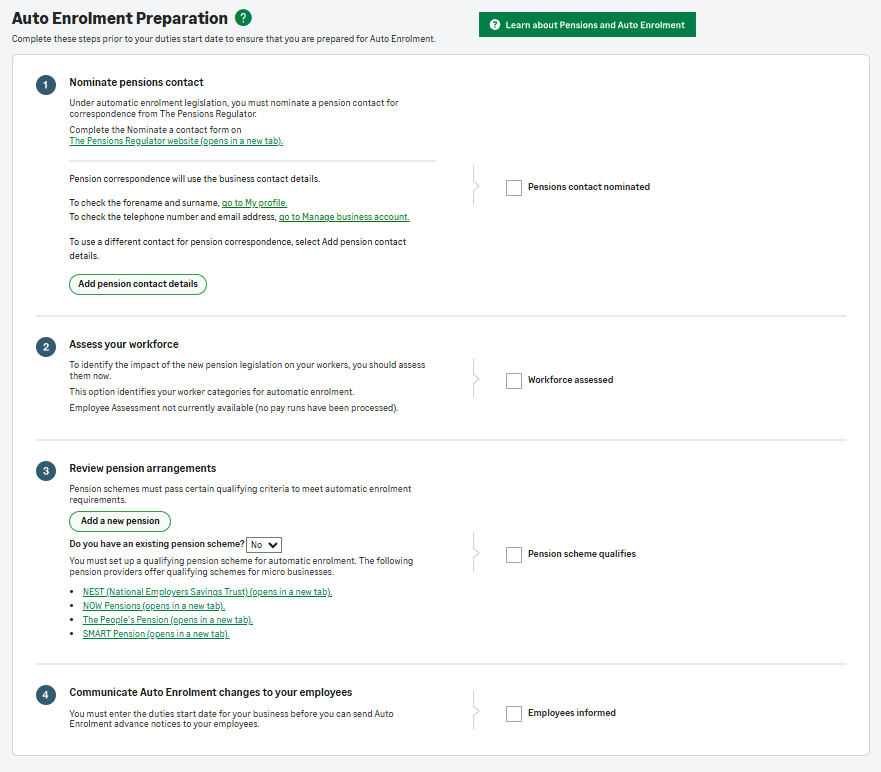
This takes you to the Auto Enrolment Preparations window.

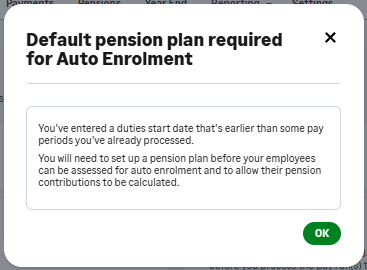
You've already processed a pay run past your duties start date

In this situation, the pension assessment and qualifying deductions should already have taken place.

A recalculation takes place on these periods, and any missing pension deduction will show in the next period as a Correction.


Auto Enrolment Preparation 

Once you've reached your duties start date, you can't process a pay run until you complete this window.

Select the headings below for more information.

  1. Nominate and inform TPR of your pensions contact
  2. Assess your employees’ worker categories
  3. Set up a qualifying pension scheme
  4. Communicate the automatic enrolment changes to employees
Steps to duplicate
Related Solutions