Using the report finder
Summary
Description
In v30, we introduce a new AI-powered search for reports, which means you can use everyday language to find the reports you need.
If you want to know more about AI and natural language searching, look at our guide here >
Resolution
Enable the new report finder
Click the module you with to use a report for, Customers is the example below;
- Click Reports.
The first time you access a report window, we'll ask if you want to enable the new report finder: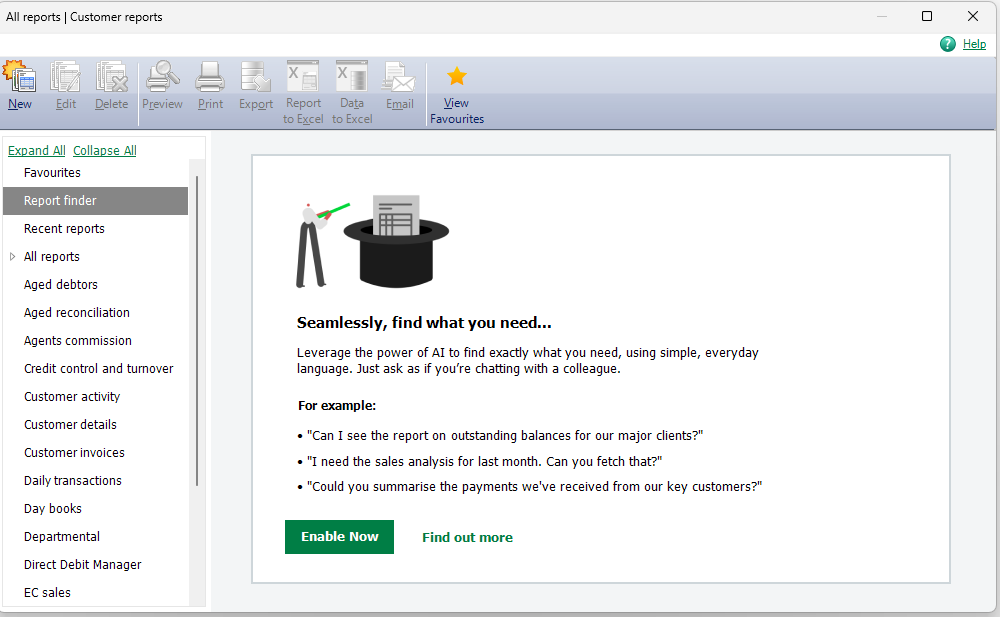
- Click Enable Now.
 NOTE: If you haven't already connected your company to your Sage account, we'll take you through the process to do that first. Find out more >
 - You'll then see the new search bar:

Tips for searching
How to formulate queries
Be specific, but be concise. Tell us about the report you want to generate and we'll try to find it for you. Here's an example:
Instead of:
"I require a report that displays a comprehensive summary for a chosen report period, detailing the number of products bought, the cost, and the total payment, all categorised by payment type and consolidated into a single line for each supplier in an Excel export. This data will facilitate a comparative analysis of overtime versus average costs within the specified reporting timeframe."
Opt for:
"I'm seeking a report on suppliers, broken down by product that includes the associated costs"
 TIP: Avoid asking for multiple reports in the same query.
Why are my query results empty?
The search feature will try its best to find something useful. If it isn't confident in providing a recommendation, it can return no results.
If your results are empty, try adding more detail to your query or reformulating your question.
I see an error message
For help with errors, see this guide >
Solution Properties
- Solution ID
- 231110093414177
- Last Modified Date
- Mon Sep 29 10:10:14 UTC 2025
- Views
- 0