

Summary
Description
You've told us that you'd like better reporting in Accounting, so we're updating the reports.
Resolution
New versions of reports
To help you get the most from your business data, we’ve started with updating the formats of the four key financial reports:
The formatting of the new reports is more like the standard layout of accounting reports. This makes them easier to read.
You can also choose new options for these reports and save them as custom reports to use again later.
Where to find the new Customisable reports
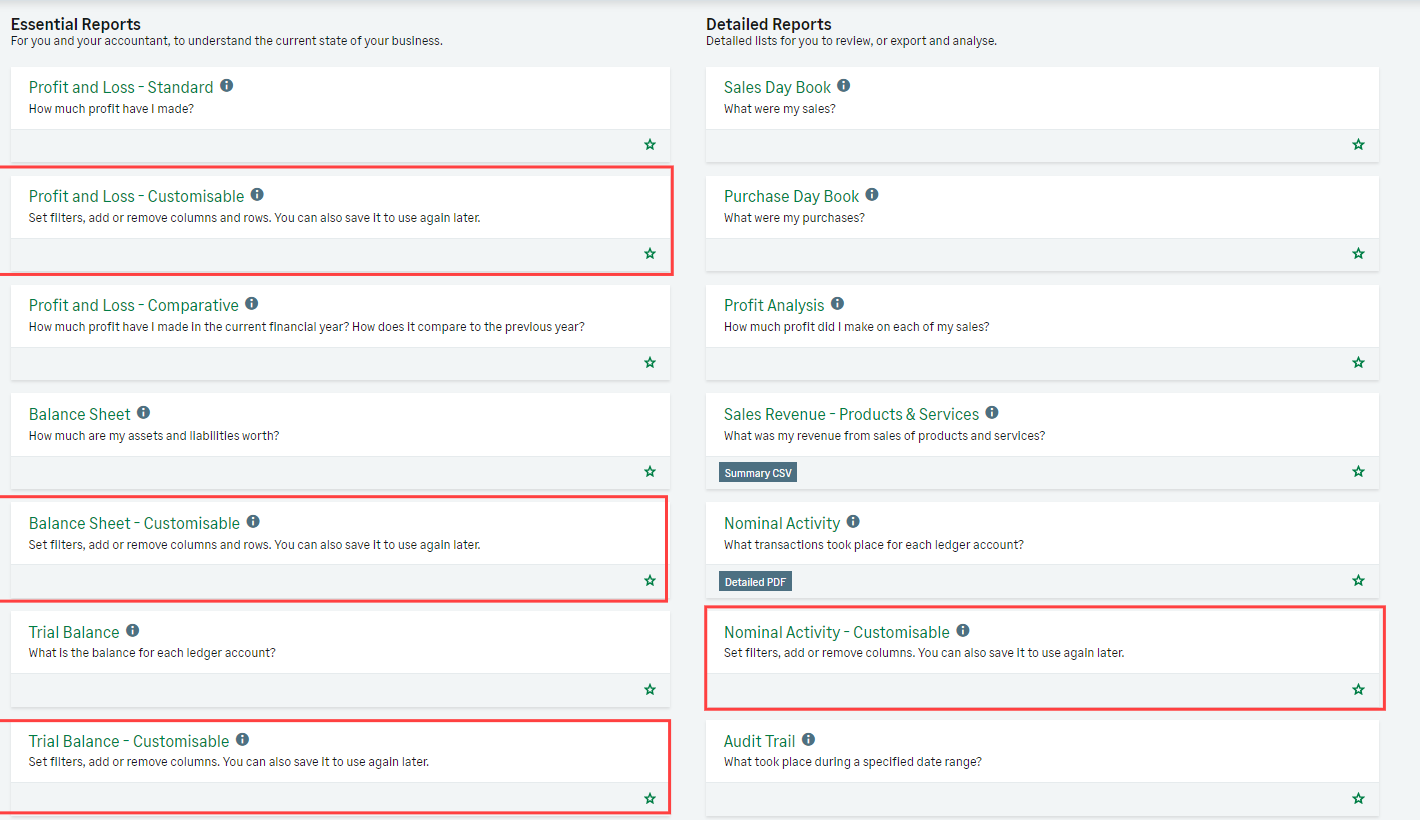
You can find the customisable reports under the Reporting section in Sage Accounting. They have the name of the report and then - 'Customisable', as highlighted below:
Once the report is open, you can select Switch to the old version if you want to go back to the old version. Select Actions, then select Switch to the old report.
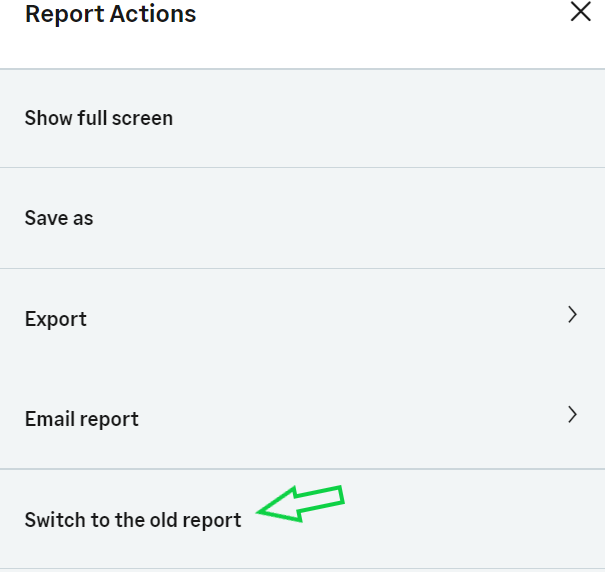
When you’re ready to try it again, go back to the Reports page and select it again.
How to tell which version you've opened
You have the customisable version of a report if you have the:
-
Switch to the old version option under the report title
and
-
The Customise report panel on the left-hand side of the report
 Africa
 Asia
Asia Australia
 Canada
 France
 Ireland
 Kenya
Kenya Nigeria
 Portugal
 South Africa
 Spain
Spain United Arab Emirates
 United States
 Germany