Schedule when payslips are uploaded to Sage HR Online Services
Summary
Description
When you upload your employee's payslip, it becomes available for them to view in Sage HR Online Services. As well as uploading them immediately, you have the option to schedule when these payslips are uploaded and made available to be viewed by the employee.
Let's take a look.
Resolution
Before you start
- Log in to Sage 50 Payroll, and click Company.
- In the Tasks menu, click Online Services Settings.
 NOTE: If it says Online Document Settings you are using Sage Online Bureau and must follow the steps in our alternative guide.
 - If you're signed in next to Step 1 it should say you're currently logged in.
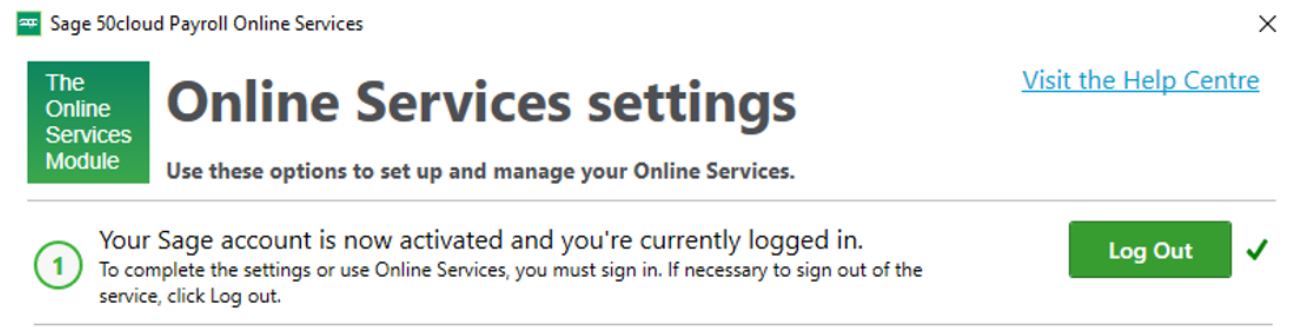
If you're not, click Log In then enter your Sage account login details.
Schedule payslips to upload
- In Sage 50 Payroll enter your employees' payments as normal.
- Select the required employees and click Payroll.
- Click Upload Online Payslips.

- Check the information in the summary is correct.
 TIP: If required, you can print this information for your records. To do this click Print Summary.
 - Select Publish on a selected date, then enter or select the date you want the payslips to be uploaded.

- Click Publish Payslips.
A confirmation message appears that your payslips have been uploaded successfully. NOTE: If this is your employee's first payslip, and they don't have a profile yet in Sage HR Online Services, this creates their profile and they receive a welcome email to set up their access. The employee won't receive a notification about their payslip until the date it is scheduled to be published.
Click Close, or, click Access Online Services. - Enter your Sage account login details.
Well done! You've now scheduled your employees payslips to be uploaded to Sage HR Online Services. When you view these payslips in Sage HR Online Services these show as 'Pending'.
NOTE: If you publish on a selected date, then realise the publish date is incorrect, you should upload the payslips again and select the correct date you want the payslips to be published.
For steps on how to view your scheduled payslips - Read more >
Once the published date arrives, your employees can view their payslips.

Keep your employees smiling
You can offer your people more with Sage Employee Benefits, which makes it easy to provide health and wellbeing benefits, and a range of discounts on shopping, holidays, and family activities.

Solution Properties
- Solution ID
- 210825130527213
- Last Modified Date
- Thu Dec 19 09:56:09 UTC 2024
- Views
- 0