

Summary
How you can use Sage 50 Accounts to keep a record of all the products and services you trade.
Description
You can keep a record of all the products and services that you sell and buy.
Resolution
Options available for products and services
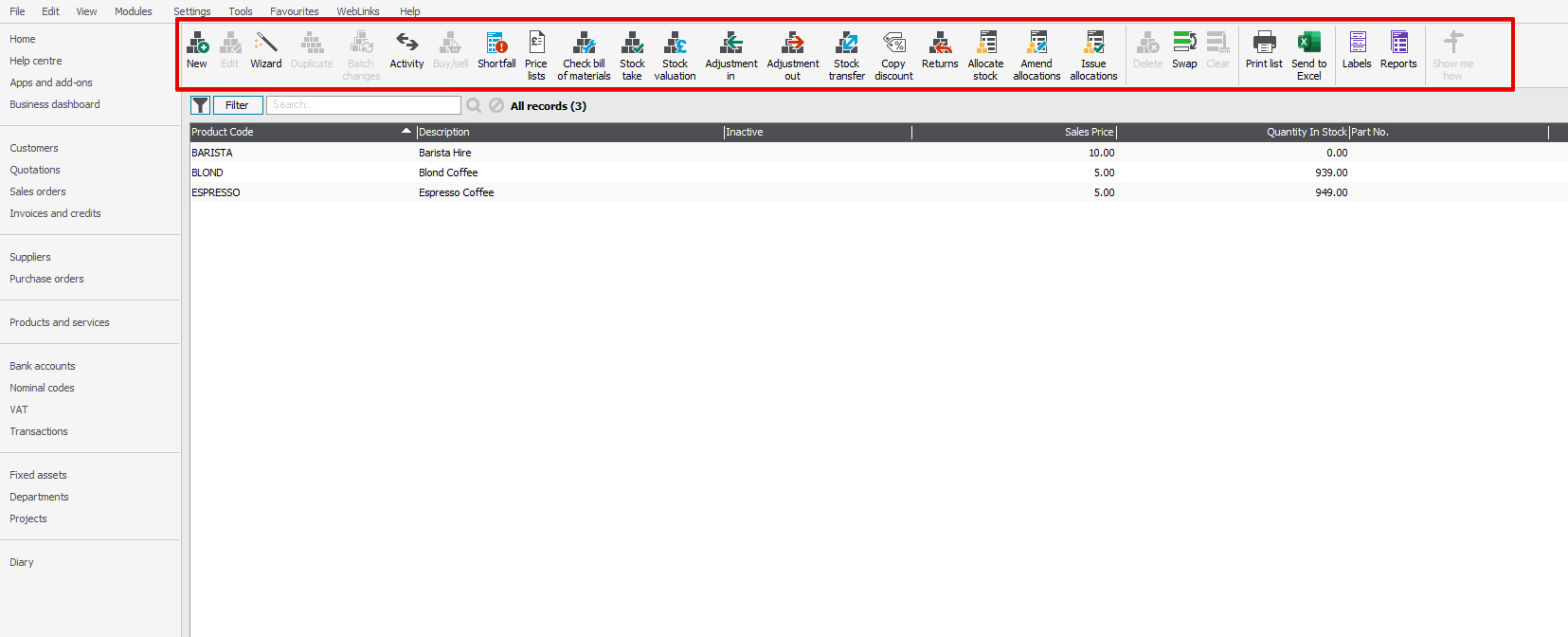
There are lots of options available in the Products and services module, such as New to create new products and services, Activity to view the activity of that product or service, and Adjustment In/Out to manually adjust your stock levels etc.
Useful tips and things to know
How to access a record
Double click on a product record to view more information on it.Product categories
You can group products into different categories to help you with your analysis and reporting purposes.
First In First Out (FIFO)
When you sell stock, Sage 50 Accounts uses the First In First Out (FIFO) method of product valuation, which means it assumes that the first stock you purchase is also the first stock you sell - Read more >
Products appearing in red
When you have products highlighted red, this means the stock level for it has fallen below the Re-order Level. The product also automatically appears on the Re-Order Levels and Shortfall reports.
 TIP: You can view or edit the Re-order Level in the Details tab on the product record.
 Africa
 Asia
Asia Australia
 Canada
 France
 Ireland
 Kenya
Kenya Nigeria
 Portugal
 South Africa
 Spain
Spain United Arab Emirates
 United States
 Germany