Getting started with Making Tax Digital for Income Tax
Summary
How to get started with Making Tax Digital (MTD) for Income Tax in Sage 50 Accounts.
Description
When you want to get started with MTD for Income Tax, you can access the setup window from:
- Apps and add-ons page - select Learn more then select Get started
- Connected services - select MTD for Income tax
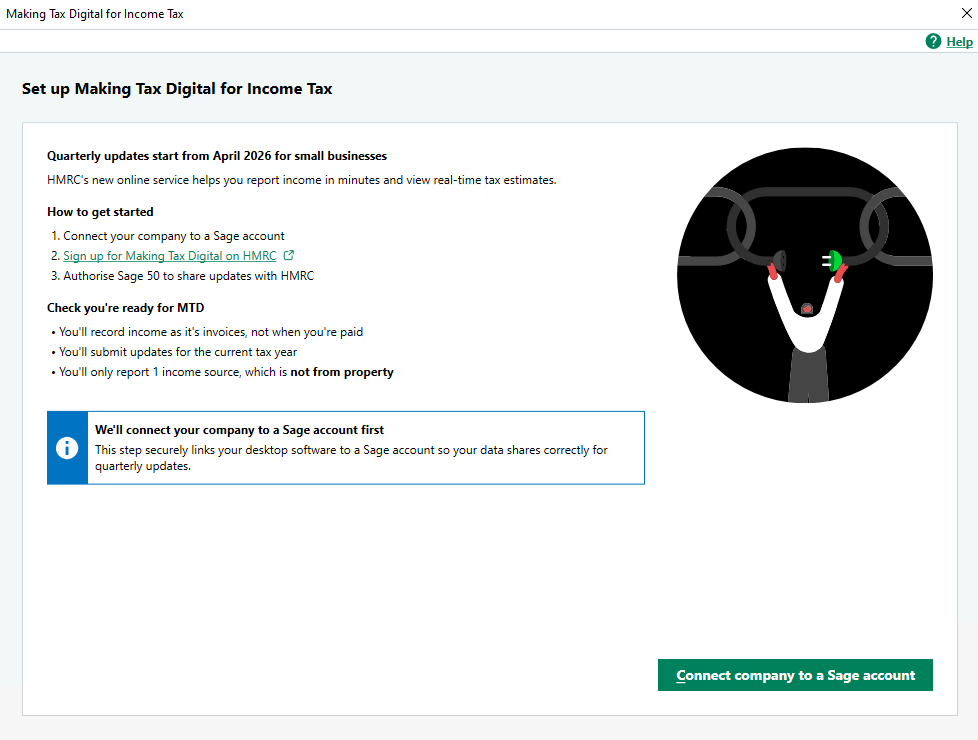
There are three steps to set up Making Tax Digital for Income Tax:
- Connect your company to your Sage account.
- Sign up for Making Tax Digital on HMRC's website.
- Authorise Sage 50 to share updates with HMRC.
Once you've set up, you'll:
- Record income as you invoice your customers, not when you get paid
- Submit updates quarterly to HMRC
- Report one income source
Solution Properties
- Solution ID
- 260219150559023
- Last Modified Date
- Wed Jun 10 12:15:40 UTC 2026
- Views
- 0