

Summary
Description
After each completed pay run, you can generate a series of reports on a per-pay-period basis. These include:
- Employee Net Pay View and download payments employees are due for a chosen date range
- Payslip Summary View and download a summary of information as seen on the employee's payslip. This includes payments and deductions
- Employer Costs View and download a summary of employer cost per employee. See how much your payroll is costing you
- Employer liabilities
A breakdown of amounts due to HMRC and any Attachment of Earnings Orders (AEOs)
To find out how to generate and export these reports, read Pay run reports.
Use this report to view and download payments employees are due over a selected period. The system looks at payments and deductions, leaving a net pay figure due to employees. This report contains information needed to set up bank payments for employee wages.
This report contains the following fields:
- Employee
- Payment Type
- Net Pay
This report provides a summary of information as seen on the employee's payslip. It includes gross and statutory pay by employee and any deductions. It also shows net pay. Use this report to reconcile the net pay values shown on the Employee Net Pay report.
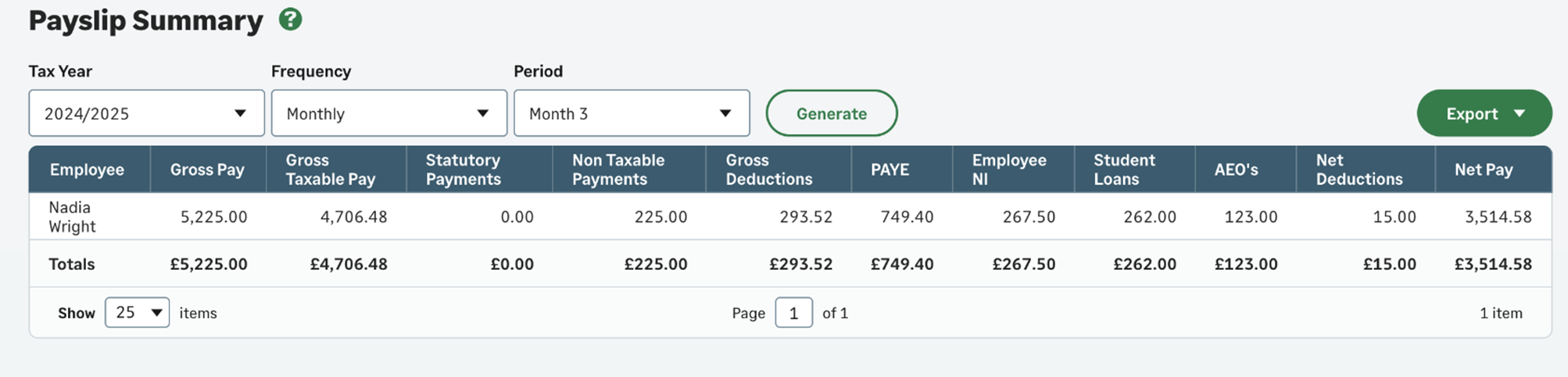
This report contains the following fields:
- Employee
- Gross Pay (includes Non Taxable Payments but excludes corrections)
- Gross Taxable Pay
- Statutory Payments
- Non Taxable Payments
- Gross deductions
- PAYE
- Employee NI
- Student Loans
- AEOs
- Net Deductions
- Net Pay
This report provides a summary of employer cost per employee. You can see how much your payroll is costing you.
This report is useful for budgeting and forecasting purposes.
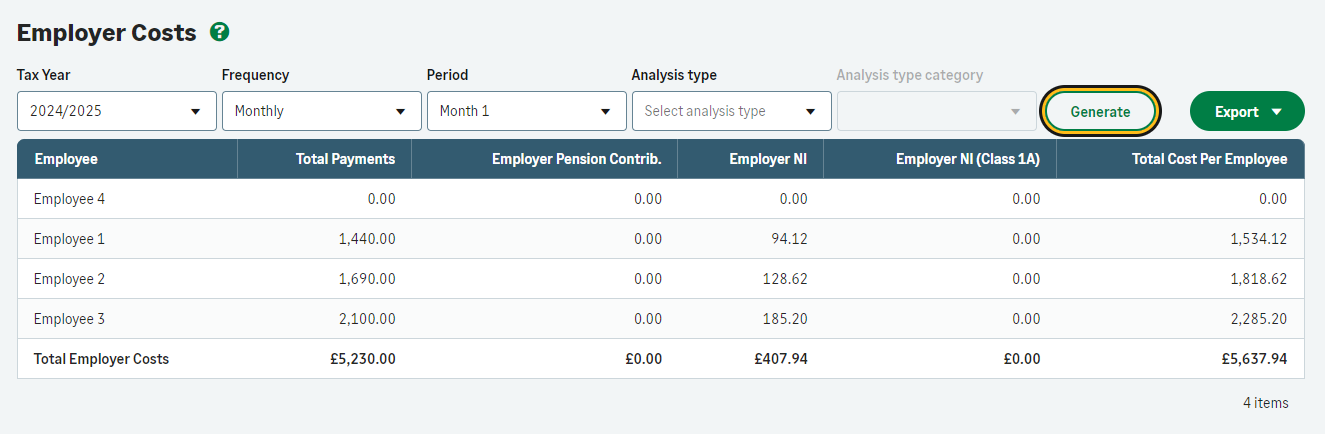
This report contains the following fields:
- Employee
- Total Payments
- Employer Pension Contributions
- Employer NI
- Employer NI (Class 1A)
- Total Cost Per Employee
This report shows a breakdown of liabilities for each employee. Use this report to reconcile the values against your P32 liabilities.
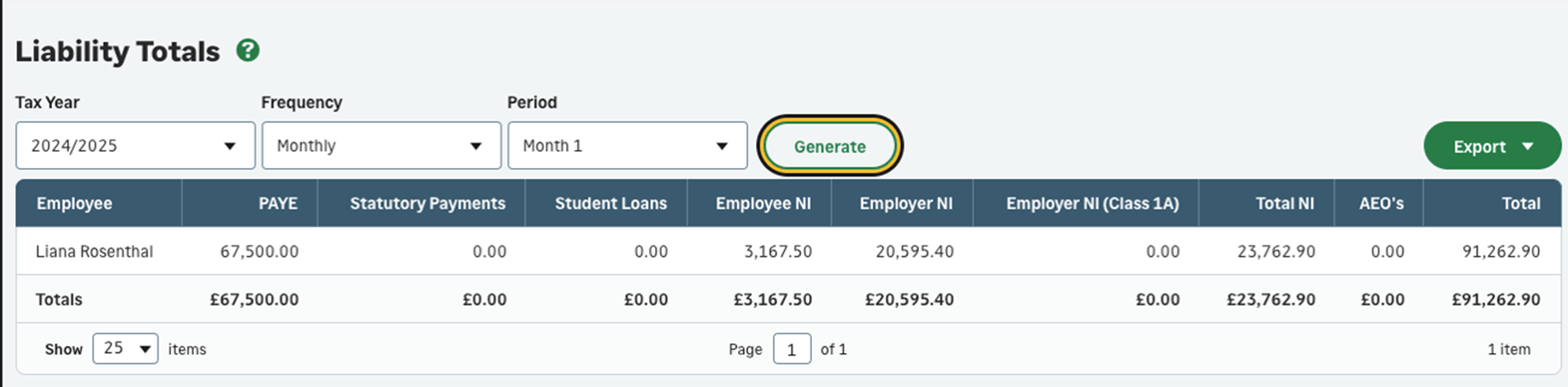
This report contains the following fields:
- Employee
- PAYE
- Statutory Payments
- Student Loans
- Employer NI
- Employer NI
- Employer NI (Class 1A)
- Total NI
- AEOs
- Total
 Africa
 Asia
 Australia
 Canada
 France
 Ireland
 Kenya
 Nigeria
 Portugal
 South Africa
 Spain
 United Arab Emirates
 United States
 Germany