Assessing your employees’ worker categories
Summary
How to manually assess your employees pension worker categories before reaching your duties start date in Sage Payroll.
Description
Even if you haven’t yet reached your staging date, you can assess your workforce in advance. You can predict the costs of automatic enrolment based on the number of employees in each category.
Resolution
Worker categories
Payroll assigns a worker category to each employee. It bases this on their age and earnings:
- Eligible jobholder – enrolment into your default qualifying scheme is automatic. You make employer contributions
- Non-eligible jobholder – can opt in to a pension scheme. It must be a qualifying scheme and you make employer contributions
- Entitled worker – can join a pension scheme if they want to. It doesn’t have to be a qualifying scheme and you don’t have to make any employer contributions
- Excluded from Auto Enrolment and not enrolled - a setting within the employee record. It excludes the employee from auto-enrolment
Run the assessment
You can only run the assessment after you've processed a pay run. This is so Payroll has values to use against the criteria of each worker category.
This gives you an idea of how your payroll looks at the moment. When you reach your duties start date, Payroll will do the real assessment automatically.
To begin to use Sage Payroll to assess your workforce, complete the below steps:
- Select Pensions from the menu bar. This will display the Auto Enrolment Preparation window.
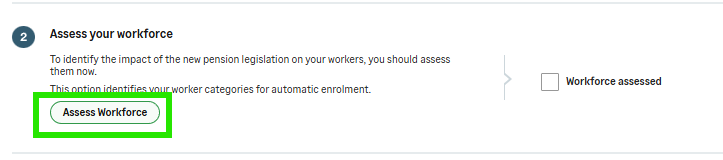
- Select Assess Workforce (step 2).
- Select Printable PDF and print the report from your Internet browser menu.
- Within Payroll, select Pensions from the menu bar again.
- Select the Workforce assessed checkbox.
Solution Properties
- Solution ID
- 222001000101457
- Last Modified Date
- Thu Oct 01 13:49:17 UTC 2026
- Views
- 0