

Summary
Description
What is VAT domestic reverse charge?
Domestic reverse charge applies when a UK customer buys mobile phones or computer chips. The customer, not the supplier, records the VAT on their VAT Return.
Usually, when you sell goods or services to another VAT registered business, you include VAT on your invoice and record it on your VAT Return.
Under the reverse charge, you don’t add VAT to your sales invoice. Still show the VAT amount and state that the reverse charge rules apply. The customer accounts for the VAT as output tax and can normally reclaim the same amount as input tax, subject to the usual VAT recovery rules.
Resolution
VAT domestic reverse charge sales
Set up customers
Specify that VAT Reverse Charge applies on the sales invoice for those customers who buy mobile phones and computer chips from you.
To do this, read reverse charge VAT and CIS. For a new customer, select the checkbox from the Account Details section.
Enter sales invoices
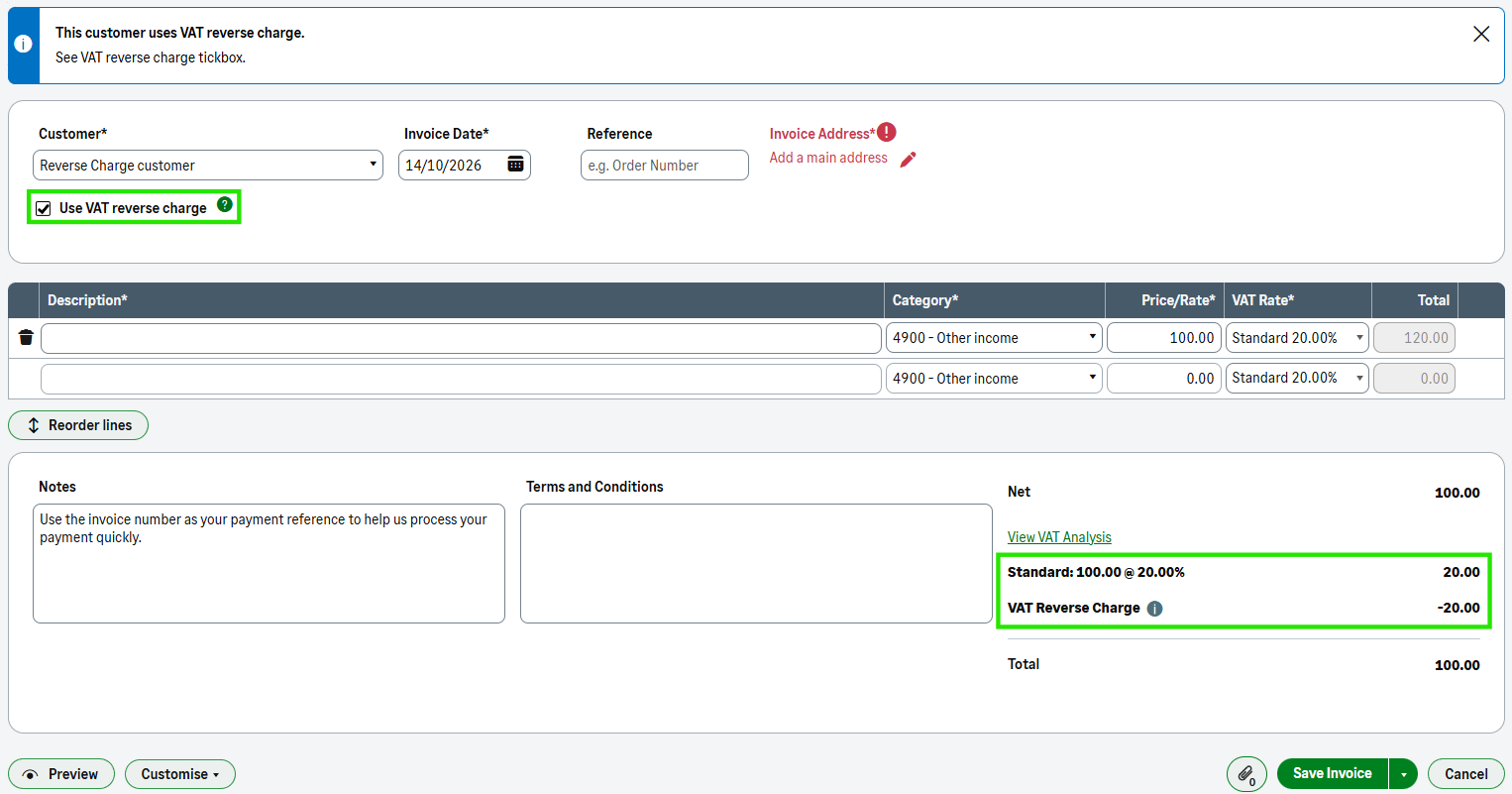
If you've set the customer up to use domestic reverse charge, a checkbox shows on the invoice.
- Select Sales, then New Invoice.
- Choose your customer, and select the Use VAT reverse charge checkbox when reverse charge rules apply.
- Enter the details of the invoice as normal.
- The VAT analysis section shows that the reverse charge rules apply and reverses the VAT value.
- Select Save.
The VAT Return
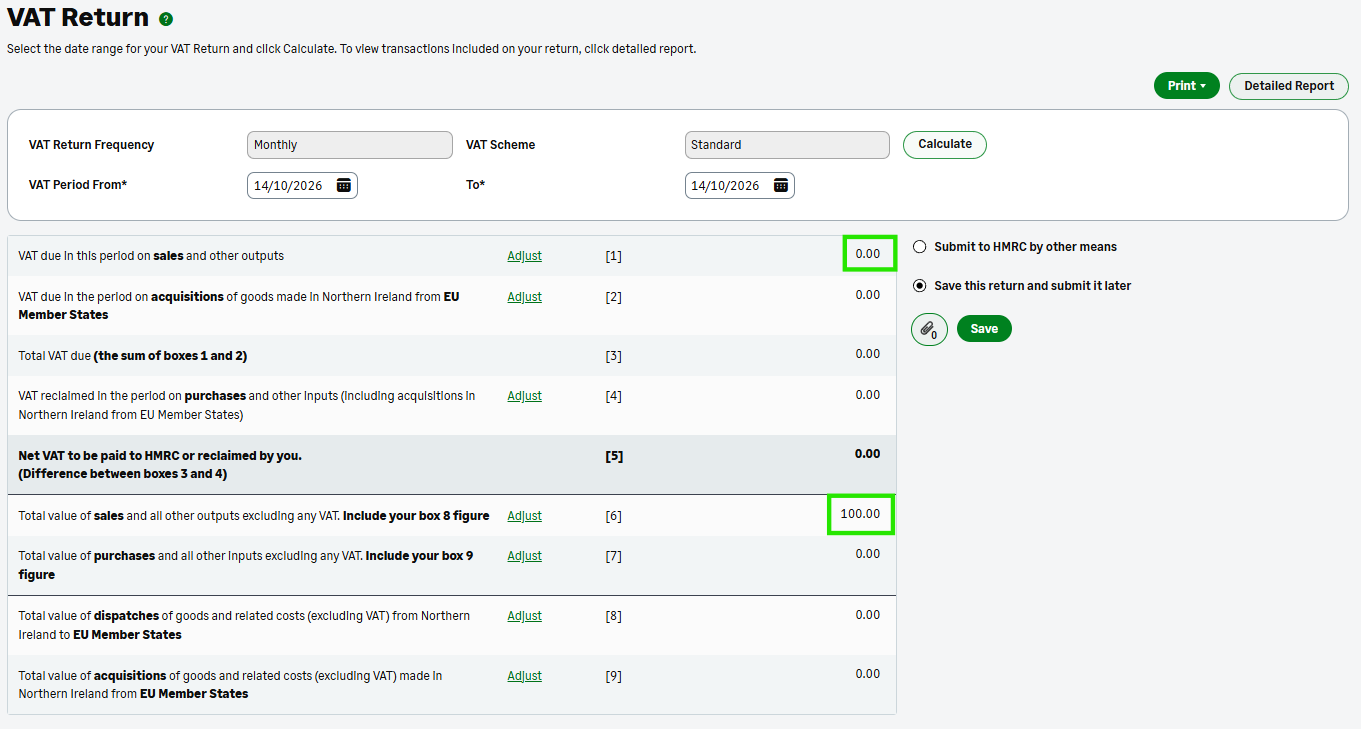
The effect on the VAT return is:
- The VAT Return shows the net value of the sale in box 6 as usual
- The VAT doesn't show in box 1
VAT Cash Accounting
Any invoice where reverse charge applies shows on your VAT Return when you raise it, rather than when your customer pays it.
Flat Rate VAT
Any invoice where reverse charge applies shows in the box 6 figure, but not in the flat rate calculation.
 Africa
 Asia
 Australia
 Canada
 France
 Ireland
 Kenya
 Nigeria
 Portugal
 South Africa
 Spain
 United Arab Emirates
 United States
 Germany