

Summary
Enter opening balances for outstanding invoices from another system into Accounting Start.
Resolution
Things to consider
-
To include and report on CIS for outstanding invoices, re-enter them using CIS functions and categories codes.
-
CIS in different categories affects opening balances. See How CIS transactions update your ledger accounts.
Before you start
- Ensure you have set up CIS for your business and set up a contact as a contractor for CIS
- Check your VAT Scheme and Accounts Start Date is correct
- You'll need your trial balance with CIS opening balances to refer to
About entering opening balances
To input your opening balances accurately, follow this process to re-enter all outstanding invoices with CIS.
If your previous system deducted CIS on sales invoices, enter an opening balance for CIS Tax Withheld.
- Enter opening balances for your categories, using the trial balance from your old system. This will include the balances of your outstanding CIS invoices.
- To prepare for re-entering outstanding invoices in Accounting Start, create a journal entry to reverse their values. You'll need to enter values for:
- Trade Debtors
- CIS tax withheld - if your previous system deducted CIS on sales invoices
- Sales
- VAT on Sales
- Re-enter your outstanding CIS invoices so:
- The CIS reduces correctly on each invoice
- CIS invoices show in returns and reports
- The correct categories are updated
Enter category opening balances for your categories
Enter a journal to reverse your unpaid CIS invoices
For accurate CIS reporting, re-enter outstanding CIS invoices in Accounting Start.
Before you can do this, reverse the amount already entered as part of your opening balances.
- From More, select Journals then New Journal.
- Enter the value of all your outstanding CIS invoices.
- Trade Debtors - Credit
- CIS Tax Withheld - (Only if you used this in your old system) - Credit
- Sales - Debit
- VAT on Sales - Debit. Choose "Include on VAT Return" for re-entered invoices, requiring a reverse entry
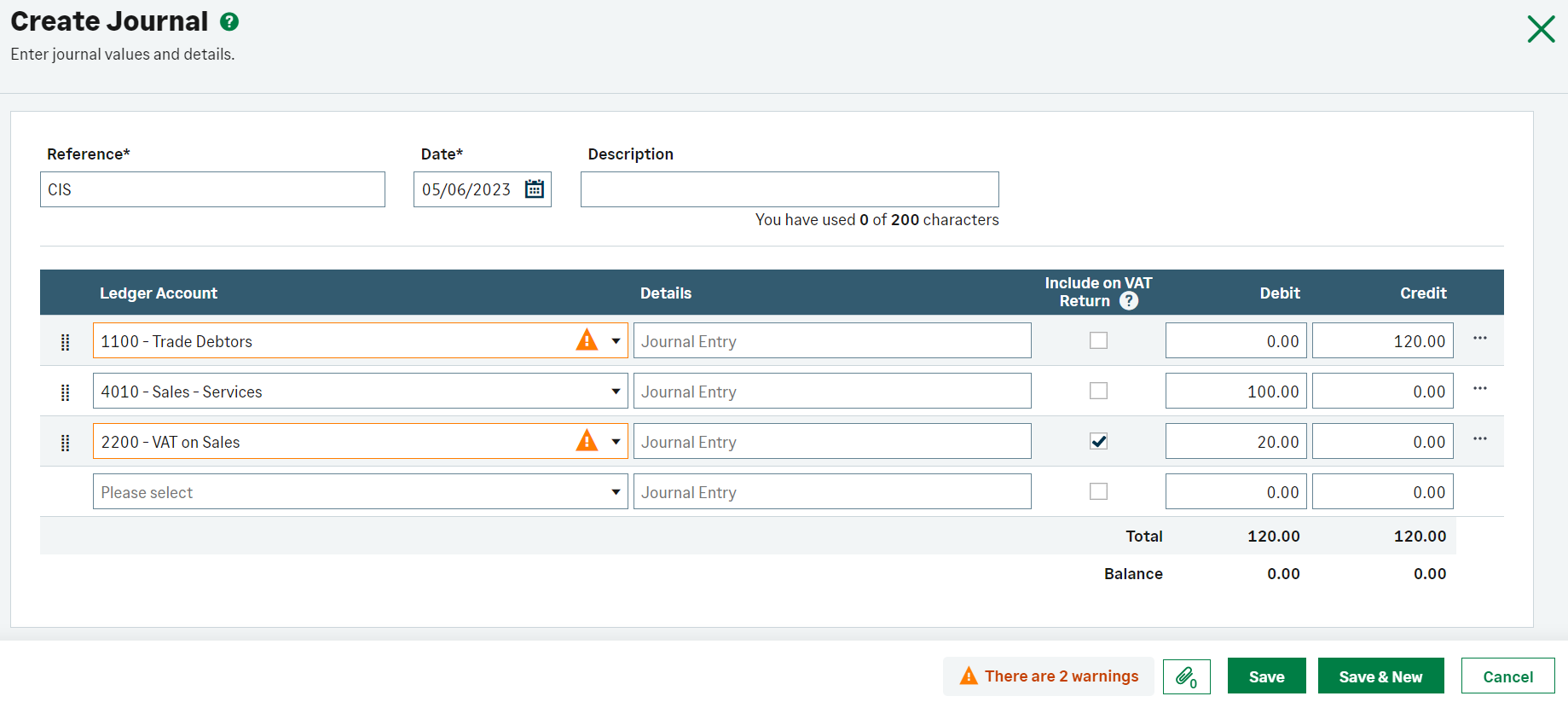
In our example shown below, as we only had one outstanding invoice, we've entered the following values:
| Category | Debit | Credit |
|---|---|---|
| Trade Debtors | 120 | |
| Sales | 100 | |
| VAT on Sales | 20 |
 Africa
 Asia
Asia Australia
 Canada
 France
 Ireland
 Kenya
Kenya Nigeria
 Portugal
 South Africa
 Spain
Spain United Arab Emirates
 United States
 Germany