Connect to a Tide bank feed
Summary
How to connect your Tide bank account to Sage Accounting Start.
Resolution
How to connect Accounting to your Tide business bank account.
- From Banking, under Actions select the Connect to Bank link on your Tide bank account.

- Select Tide from the listed banks shown below or use the search option.

- Tide will ask you to have your sign-in credentials ready. Select Continue.

- Plaid is the secure service we use to connect your bank with your Sage Accounting service. Select Continue.

- Review the types of financial data you’ll share. Select Allow.

- Select Continue to authenticate with Tide.

- Tide displays the next instructions that you'll perform on your Tide mobile app.


- After performing these steps on your Tide mobile app, the page will update on your computer.
Select the Tide account you want to connect with Sage, then select Grant Access.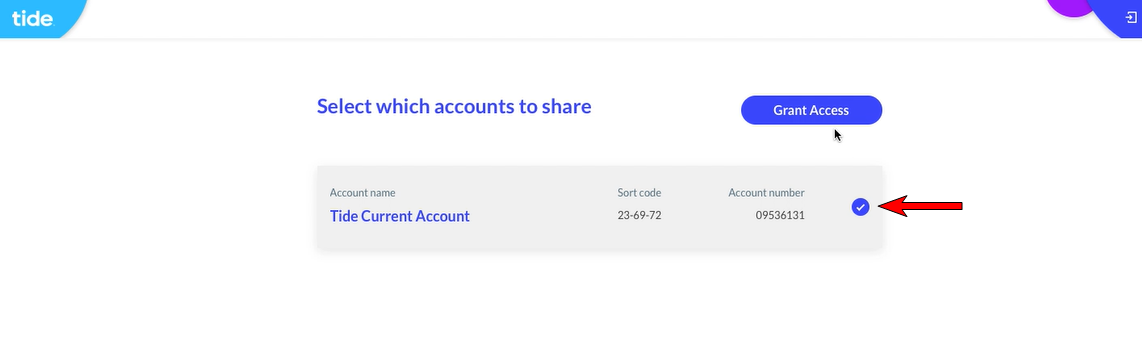
- With the connection established, Tide will start to share data with your Sage Accounting service.

- You'll see a summary of the account you've selected. Select Continue.

- Enter the date you want to import transactions from.

- On your Banking page, you'll see your Tide bank has been updated to show a transaction count.


Solution Properties
- Solution ID
- 222001000100058
- Last Modified Date
- Wed Aug 23 15:32:32 UTC 2023
- Views
- 0