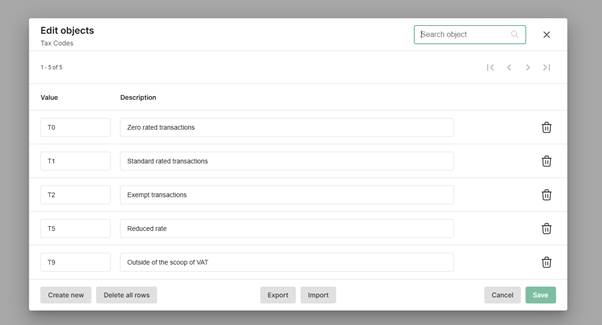
Tax Codes Use Tax Codes in Sage 50 Accounts to handle VAT properly. They tell the software how much VAT to apply to each transaction, so that your VAT Return reports the correct values. Dimensions A dimension is a way to describe or categorise your data so it’s easier to analyse. Think of a dimension as a label or category you can use to group and explore information. For example: - In a sales report, "Region", "Product Type", or "Salesperson" are dimensions
- In a website report, "Device Type", "Traffic Source", or "Page Viewed" are dimensions
Use dimensions to filter your data, for example to find out how many products you have sold in each region. In all cases, you’ll have a preset dimension, which is a tax code.  NOTE: Dimensions are only available in the Professional tier. NOTE: Dimensions are only available in the Professional tier.
|